How to make player (CharactherBody2D) move in Godot 4
Today we will make a player move with keyboard in Godot 4.
Let's get start
First off after you create an empty project, Let create a scene for our player to walk.
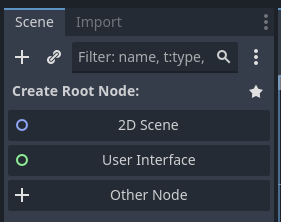
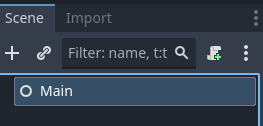
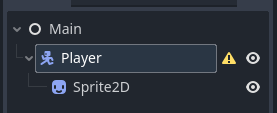
Hit the "+Other Node" and search for "Node", Hit create and yeah we got our first node. Rename our node to "Main" and add child node by right click and choose "Add child Node" and now we will search for "CharactherBody2D" to be our player. Rename it to "Player" then we will add child node to our player which is "Sprite2D" to let our play has a visual image.
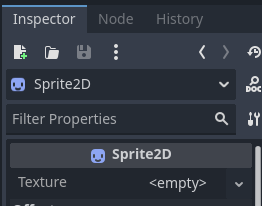
add an image to Texture in Sprite2D by clicking on the node in inspector tab and then drag and drop out image in "Texture" field the shown . Now we will have our player in 2D editor.
Now we need to do input mapping so the our game know which input should do thing.
Go to Project Settings: Click on Project → Project Settings.
Navigate to Input Map: In the Input Map tab, add new actions:
move_right → Assign Right Arrow and D
move_left → Assign Left Arrow and A
move_down → Assign Down Arrow and S
move_up → Assign Up Arrow and W
Save and Apply: Click Close after adding the inputs.
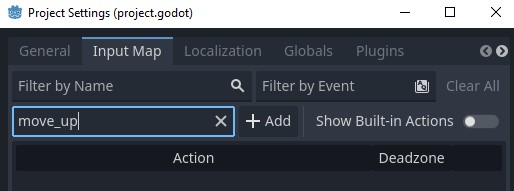
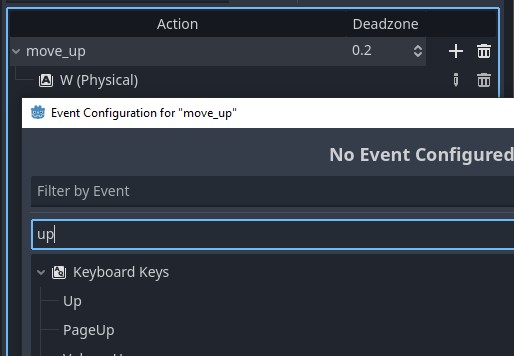
after you done mapping now we can add a script to move our player by click on player and the script button

add this code to a player script.
extends CharacterBody2D

@export var speed: float = 200.0

func _physics_process(delta):
	var direction = Vector2.ZERO

	if Input.is_action_pressed("move_right"):
		direction.x += 1
	if Input.is_action_pressed("move_left"):
		direction.x -= 1
	if Input.is_action_pressed("move_down"):
		direction.y += 1
	if Input.is_action_pressed("move_up"):
		direction.y -= 1

	direction = direction.normalized()
	velocity = direction * speed
	move_and_slide()
in this script all it does is listen to an Input that we mapping if it pressed if the button pressed then it will set the direction and move (with move_and_slide()) to the direction with the speed that we set.